


Laptops are like that friend who can’t handle the heat—give them too much, and they start to freak out. Overheating can turn a perfectly good device into a sluggish paperweight, leaving users frustrated and wondering if their laptop is auditioning for a role in a melting ice cream commercial. Fortunately, cooling solutions exist to rescue laptops from their thermal tantrums.
From sleek cooling pads that look like they belong in a sci-fi movie to clever DIY hacks that even a cat could master, there’s no shortage of ways to keep those temperatures in check. Dive into the world of laptop cooling solutions and discover how to keep your device chill while you work, game, or binge-watch that new series. After all, a cool laptop is a happy laptop, and who doesn’t want a happy tech companion?
Overview of Laptop Cooling Solutions
Laptop cooling solutions are essential for preventing overheating and maintaining optimal performance. Various methods cater to different needs and preferences.
Cooling pads, for instance, offer a stylish way to enhance airflow. These accessories come equipped with fans that help dissipate heat, improving the laptop’s overall cooling efficiency.
Adjustable fan speeds and height settings often feature in many models, allowing users to customize cooling based on specific activities. Budget-friendly options exist as well, making it accessible for any user.
DIY hacks can also provide effective cooling without substantial investment. Simple solutions like elevating the laptop or using compressed air to clear dust from vents can significantly improve airflow.
Fans that fit underneath the laptop create additional airflow, reducing operating temperatures. Naturally, regular maintenance ensures that these methods yield long-lasting benefits.
Thermal paste replacement is another effective solution that enhances heat transfer from the CPU and GPU to the heatsinks. This process works best for users comfortable with hardware modifications.
Environmental factors play a role in laptop cooling too. Positioning laptops in well-ventilated areas and avoiding soft surfaces can prevent overheating.
Considering the diverse solutions available, users can choose the method that suits them best. A well-cooled laptop not only performs better but also extends its lifespan.
Importance of Laptop Cooling
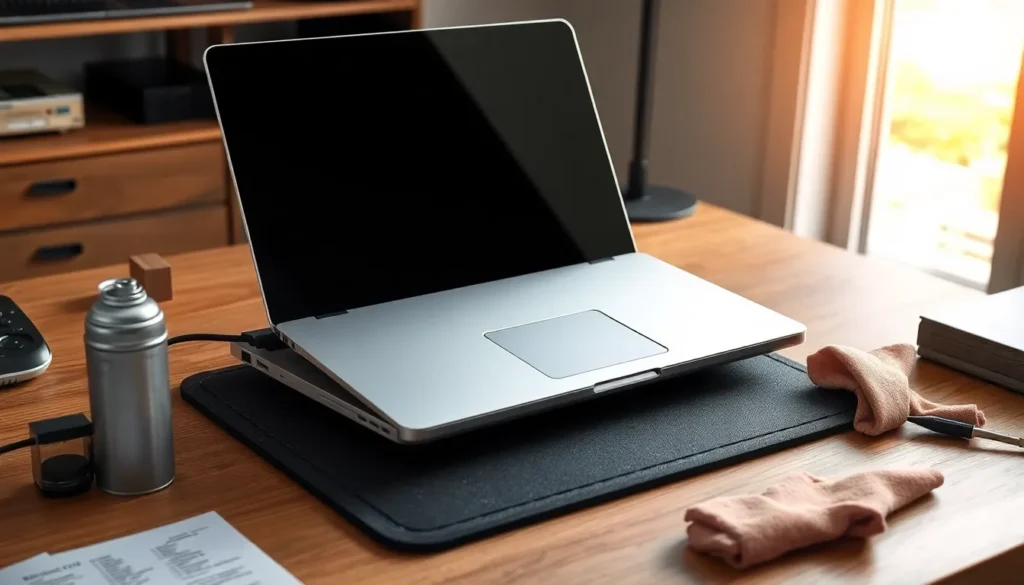
Laptop cooling plays a crucial role in maintaining optimal functionality. Proper cooling methods help avoid damage from overheating and enhance the overall user experience.
Preventing Overheating
Overheating can lead to a range of issues affecting laptop longevity. High temperatures strain components, potentially causing hardware failures. Effective cooling solutions like cooling pads improve airflow around the laptop, mitigating heat buildup. DIY approaches, such as elevating the device or regularly clearing dust, also contribute to better cooling. Keeping vents unobstructed allows for improved airflow, which is essential for temperature regulation. Regular maintenance tasks are crucial for sustaining a well-functioning machine.
Enhancing Performance
Cooling solutions significantly enhance laptop performance. Optimal temperatures prevent thermal throttling, where devices slow down to reduce heat. With effective cooling, users can experience smoother gaming sessions and faster processing speeds during tasks. Airflow improvement leads to better efficiency in resource-intensive applications. Investing in reliable cooling solutions can result in noticeable performance gains for everyday uses as well. Those who prioritize cooling systems often find their devices respond faster and deliver a more enjoyable experience.
Types of Laptop Cooling Solutions
Laptop cooling solutions fall into two primary categories: active cooling methods and passive cooling methods. Each category offers distinct features to help manage temperatures effectively.
Active Cooling Methods
Active cooling methods utilize fans or liquid cooling systems to dissipate heat effectively. These solutions typically offer adjustable fan speeds, allowing users to customize cooling performance based on workload. Cooling pads exemplify active cooling. They often come with multiple fans that enhance airflow around the laptop, significantly improving heat dissipation. Liquid cooling systems, while less common in laptops, provide superior heat management for high-performance gaming laptops. They circulate coolant to absorb and transfer heat away from components, preventing overheating during intense tasks. Active methods generally work best for users engaging in demanding activities like gaming or video editing, where thermal management is paramount.
Passive Cooling Methods
Passive cooling methods rely on natural heat dissipation without mechanical assistance. Heat sinks installed on processors efficiently absorb and disperse heat from critical components. Laptop designs often incorporate materials that promote better thermal conductivity to enhance passive cooling. Elevated laptop stands facilitate improved airflow, taking advantage of gravity to help disperse heat. While passive solutions lack the aggressive cooling of active methods, they offer a quieter operation and require less maintenance. Passive cooling works well in environments with lighter usage, making it suitable for everyday tasks like web browsing or document editing.
Choosing the Right Cooling Solution
Selecting an appropriate cooling solution significantly impacts a laptop’s performance and longevity. Users should assess various factors to find the optimal fit.
Factors to Consider
Efficiency is key when evaluating cooling solutions. Consider the laptop’s intended use, whether for gaming or everyday tasks. Users benefit from effective thermal management during resource-intensive activities. Another aspect is noise levels; some cooling pads operate silently, while others may generate noticeable fan noise. Lastly, portability matters. Some solutions are designed for lightweight travel, while others might be larger and less convenient.
Compatibility with Laptop Models
Compatibility ensures the selected cooling solution fits seamlessly with specific laptop models. Many cooling pads come with adjustable features to accommodate various sizes and shapes. It’s crucial to check fan placement, making sure it aligns with the laptop’s vents for maximum airflow. Additionally, some laptops may require specialized solutions, such as those with unique cooling designs or form factors. Users can refer to manufacturer specifications for guidance on suitable options.
Maintaining a cool laptop is essential for optimal performance and longevity. By exploring various cooling solutions such as effective cooling pads and simple DIY hacks, users can significantly reduce the risk of overheating. These strategies not only enhance airflow but also contribute to a smoother computing experience.
Choosing the right cooling method is crucial. Active and passive solutions cater to different needs and preferences, ensuring users find the best fit for their specific usage scenarios. Regular maintenance and attention to environmental factors further support a laptop’s cooling efficiency.
Ultimately, investing time in proper cooling can lead to improved performance and a longer lifespan for laptops, making it a worthwhile consideration for anyone relying on their device for work or leisure.


